


Remove Image
Background
100% Automatically and Free
or drop a file,
No image?
Try one of these:
By uploading an image you agree to our Terms of Service. Your images are processed locally and never uploaded to any server.
100%
Free
5s
Processing
100%
Private
HD
Quality
Advertisement
Ad Slot: after-hero
Every Image Tool You Need
Compress, resize, crop, convert, watermark, and more — all free, all in your browser.
Remove Background
Automatically remove image backgrounds with AI precision.
Resize IMAGE
Change image dimensions by pixels or percentage.
Crop IMAGE
Trim and cut images with a visual cropper and aspect presets.
Rotate IMAGE
Rotate or flip images with one click.
Compress IMAGE
Reduce file size while keeping the best quality. JPG, PNG, WebP.
Upscale Image
Enlarge and enhance images up to 4x with smart upscaling.
Convert to JPG
Convert PNG, GIF, WebP, SVG and more to JPG format.
Convert from JPG
Convert JPG images to PNG, WebP, or GIF.
Image to PDF
Convert multiple images into a single PDF document.
PDF to Image
Convert PDF pages to JPG, PNG, or WebP images.
HTML to Image
Render HTML/CSS code as a high-quality JPG or PNG image.
HTML to PDF
Convert local HTML files or pasted HTML code to PDF.
Photo Editor
Adjust brightness, contrast, saturation, and apply filters.
Meme Generator
Create hilarious memes with custom captions and text.
Collage Maker
Combine multiple photos into beautiful grid collages.
Profile Picture Maker
Create perfect circular profile pictures for any platform.
GIF / Animation Maker
Create animated previews and frame sequences from images.
Black & White Filters
Convert images to grayscale, sepia, vintage, and duotone styles.
Watermark IMAGE
Protect images with text or image watermarks.
Blur Face
Blur faces, license plates, and sensitive areas in images.
Image Splitter
Split images into grid pieces for Instagram carousels & puzzles.
Color Picker
Extract colors from images in HEX, RGB, and HSL formats.
Image to Base64
Convert images to Base64 encoded strings for developers.
Everything You Need
Professional-grade tools for background removal, editing, and export.
Lightning Fast
Remove backgrounds in seconds with our AI engine. No waiting, no delays.
100% Private
All processing in your browser. Images never leave your device.
Completely Free
No signup, no watermarks, no limits. Use as much as you want.
Batch Processing
Upload multiple images and process them all simultaneously.
Touch-Up Editor
Fine-tune results with erase and restore brush tools.
Custom Backgrounds
Choose colors, upload images, or blur the original background.
Text & Effects
Add text overlays, shadows, and effects to create ready-to-use graphics.
Preset Templates
Resize for Instagram, YouTube, LinkedIn, e-commerce and more.
Multi-Format Export
Download as PNG, JPG, or WebP with customizable quality.
Advertisement
Ad Slot: after-features
Four Simple Steps
Upload
Drag & drop, browse, paste URL, or upload multiple for batch.
AI Processes
Our AI removes the background in your browser. Nothing uploaded.
Edit & Customize
Change backgrounds, add effects, touch up edges, overlay text.
Download
Export as PNG, JPG, or WebP. Share directly or download.
Works With Everything
People, pets, products, cars and more. Our AI handles them all with precision.
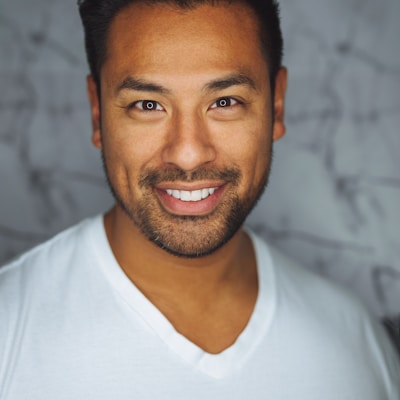
Portraits
Perfect headshots
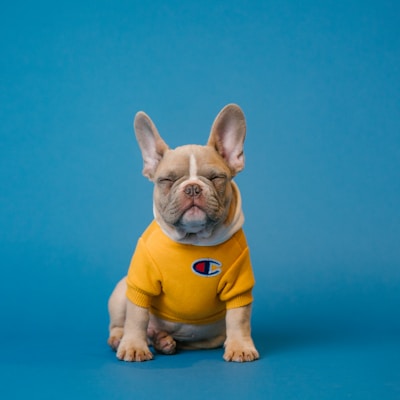
Pets
Fur & fine edges

Cars
Clean cutouts
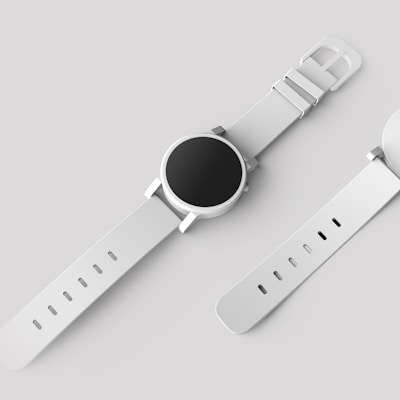
Products
E-commerce ready

Animals
Complex shapes

Food
Detailed edges
Advertisement
Ad Slot: after-gallery
Loved by Thousands
Sarah Chen
E-commerce Seller
“I used to spend hours in Photoshop. BG Remover does it in seconds. My product listings look so much more professional now.”
Alex Rivera
Graphic Designer
“Everything runs in my browser - no uploading sensitive client images to unknown servers. The batch processing saves me hours.”
Priya Sharma
Content Creator
“I create thumbnails for YouTube and this tool is perfect. The touch-up brush and text overlay mean I barely need any other editor.”
James Wilson
Real Estate Agent
“I use this for property headshots and marketing materials. The preset templates for social media sizes are incredibly convenient.”
Maria Gonzalez
Small Business Owner
“Finally a free tool that actually delivers. No watermarks, no limits, no catch. I've recommended it to everyone.”
David Kim
Photographer
“The AI handles complex edges like hair and fur remarkably well. The blur background feature creates beautiful depth-of-field effects.”